

Crack the job before you apply
JobCracker reads the job post you're on and tells you if it's still open, how well you fit, and what to lead with. Then it remembers where you applied.
That didn't go through. Check your email address and try again, or write to hello@jobcracker.xyz.
You're on the list.
We'll email you the day JobCracker lands in the Chrome Web Store.
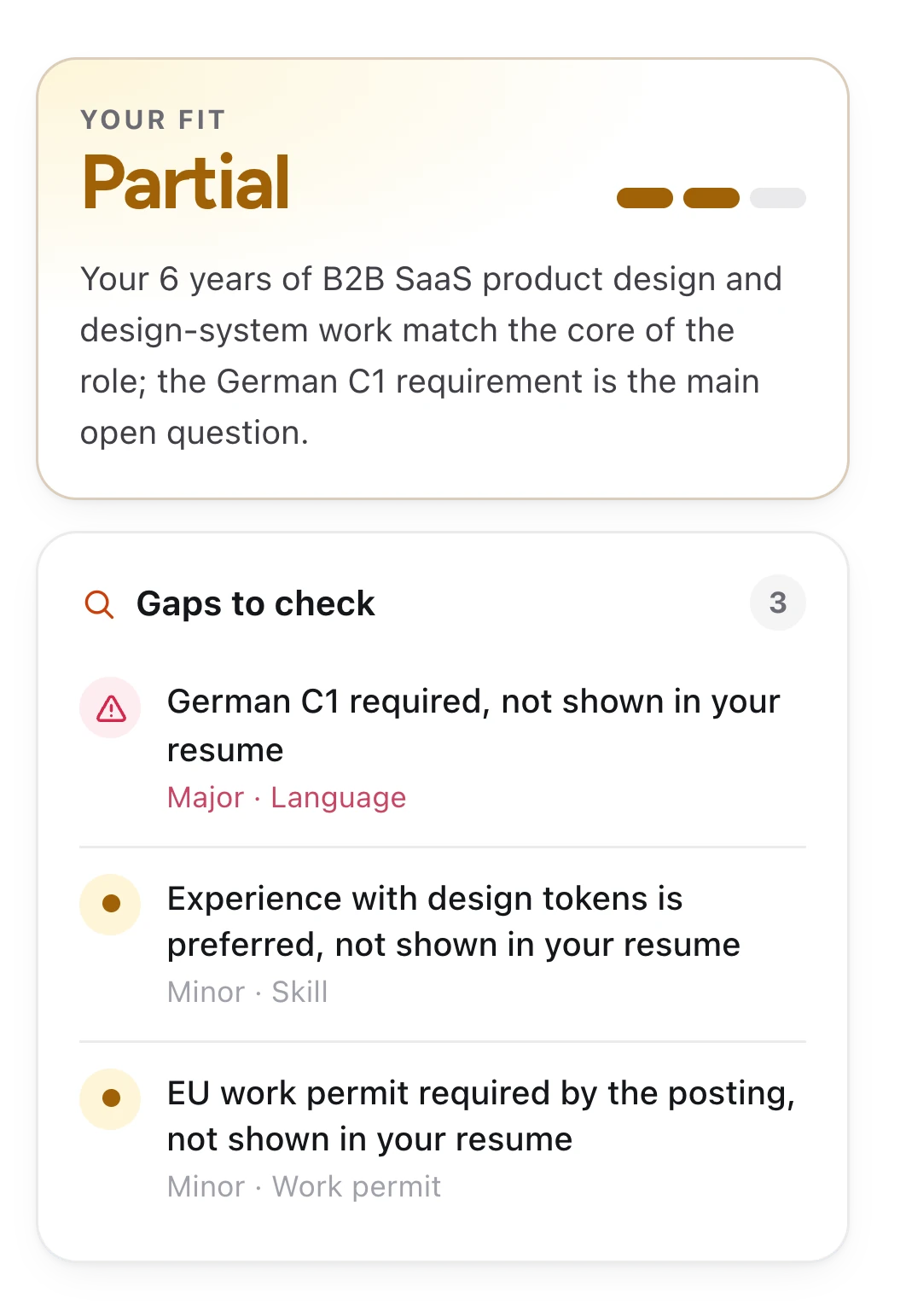
See your fit at a glance
Open any job post and click Analyze. JobCracker measures it against your resume and tells you straight: Strong, Partial or Low, and why.
- The gaps, rankedMajor ones first, so you know what could sink the application.
- Check every claimEach gap comes with the posting's own words, a tap away.
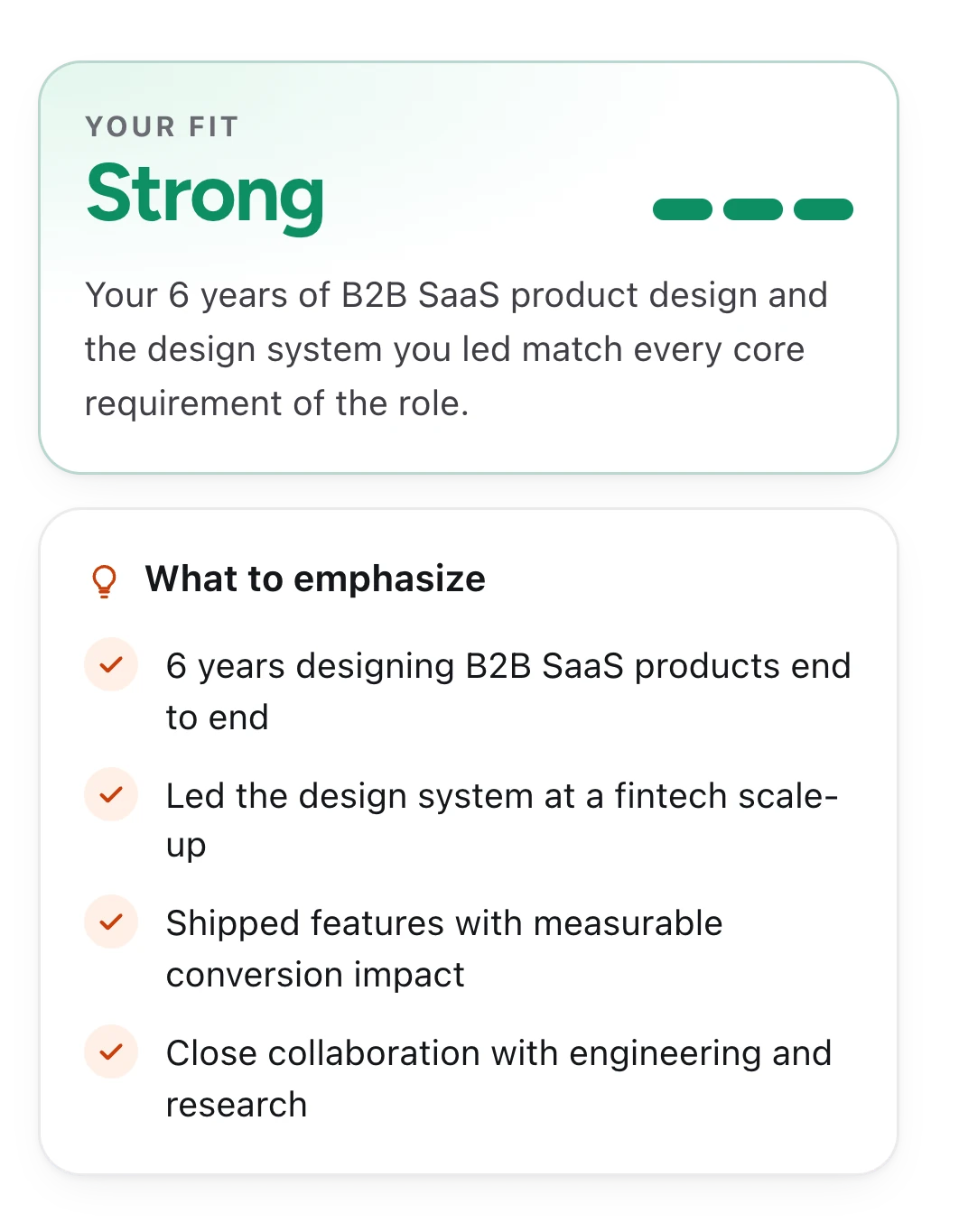
Know what to lead with
When it's a match, JobCracker picks out the parts of your experience this job cares about most.
- Specific to this jobA different posting gets a different emphasis.
- Ready to useFor your cover letter, your intro message or the first call.
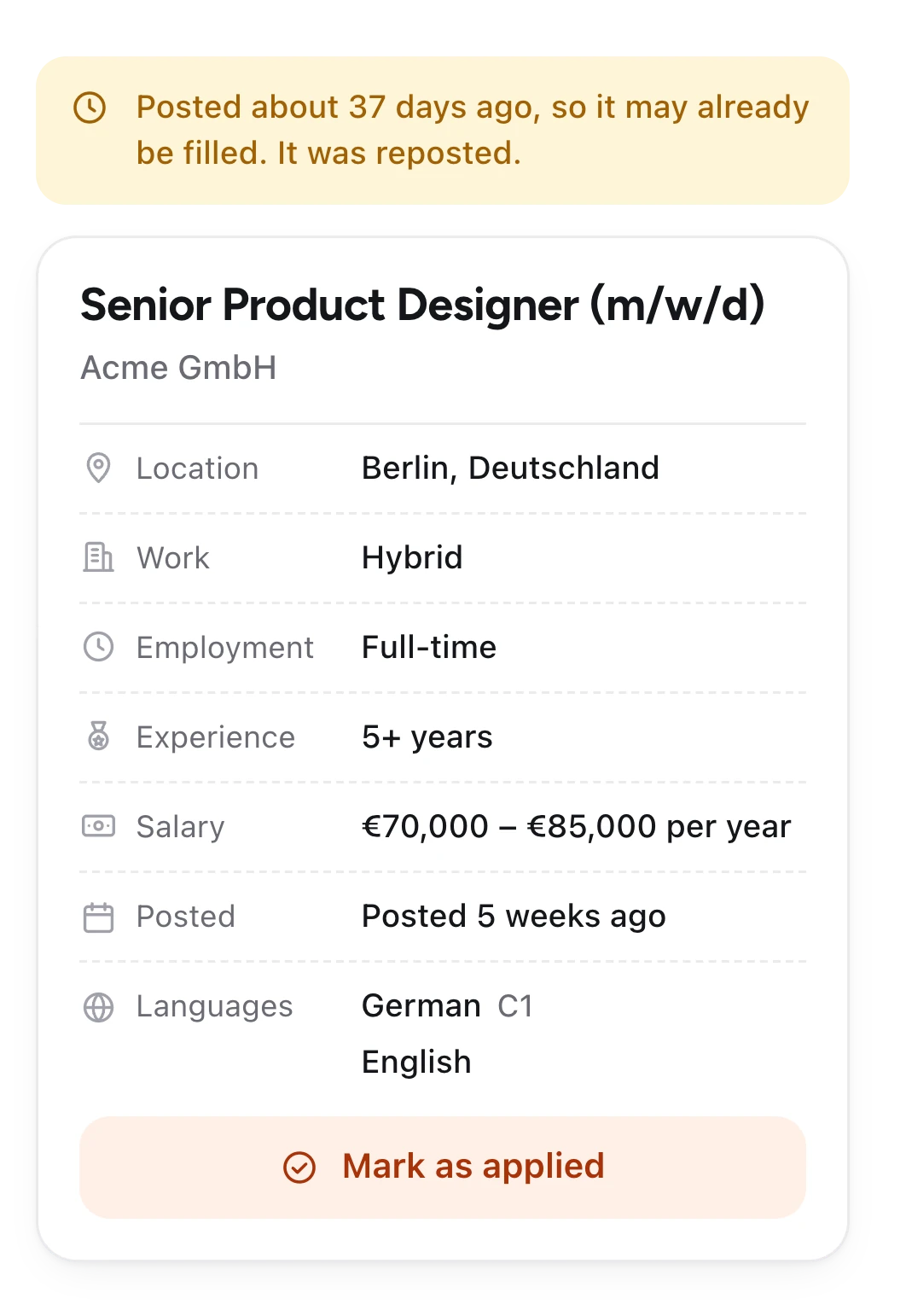
Skip the ghost jobs
Don't spend an evening on a listing nobody's reading. JobCracker flags posts that are more than 30 days old or quietly reposted, from the dates on the page itself.
- Old and reposted listings flaggedYou'll know before you start writing.
- The key facts up frontLocation, salary, experience and languages, pulled out of the post.
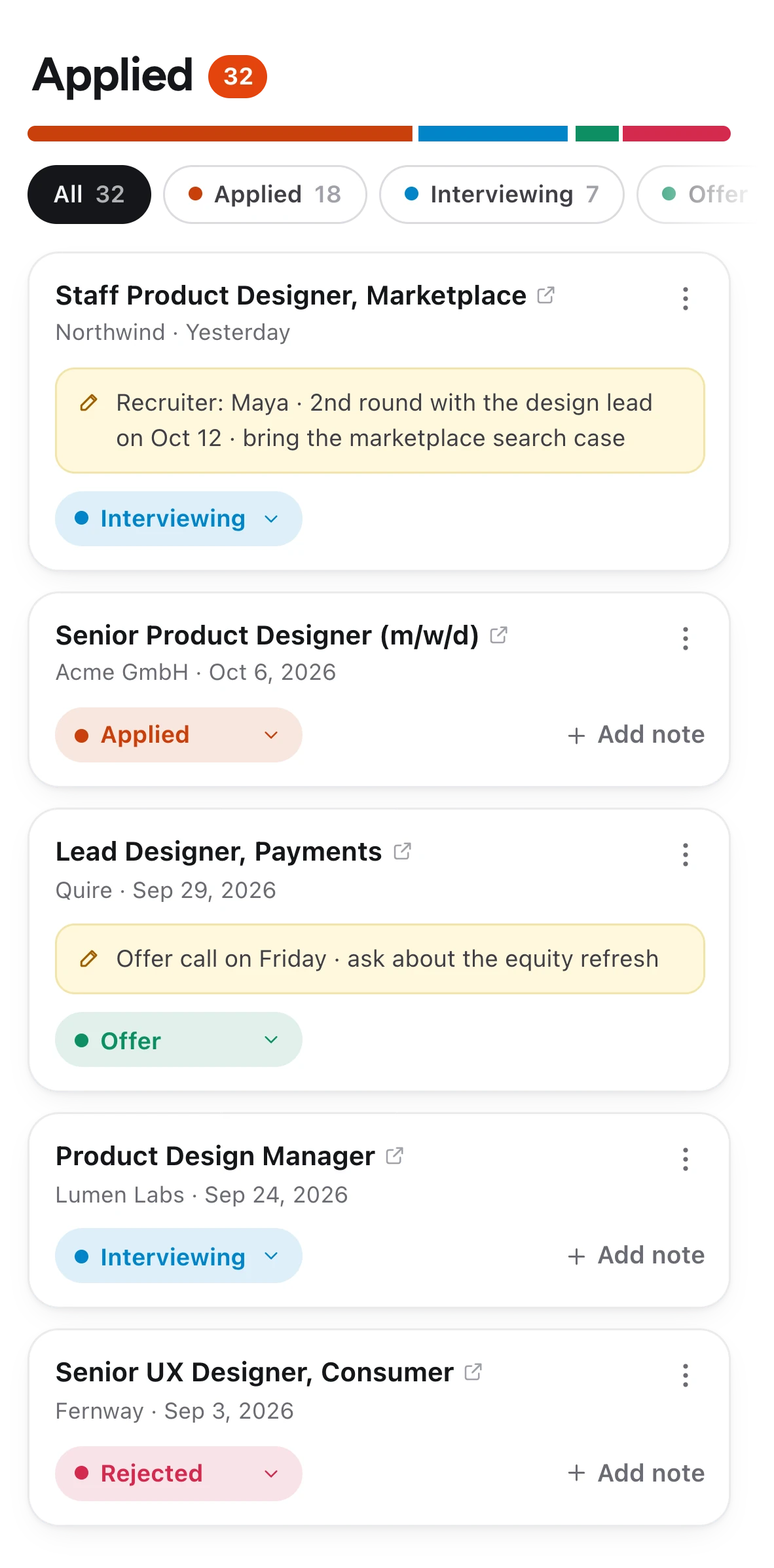
Every application, tracked in one place
Mark a job as applied in one click, right from the post. JobCracker saves the link, the company and the date, so your whole search lives in one list. Land on a job you've already applied to and it tells you.
- A status for each oneApplied, Interviewing, Offer, Rejected or Withdrawn. Filter the list in a tap.
- Notes that stay with the jobRecruiter names, interview dates, what they asked for.
- Every link savedJump back to any posting in one click, from any computer.
Choose the right plan for you
No card needed
- 5 analyses to try it out
- Works on any job site
- Track all your applications
Billed monthly
- 300 analyses every month
- Saved results reopen for free
- Cancel anytime, keep Pro until the period ends
Questions
Something else? Write to hello@jobcracker.xyz.
Which job sites does it work on?
Any job post you can open in Chrome: LinkedIn, Indeed, Glassdoor, applicant tracking systems like Greenhouse, Lever, Workday and Ashby, and company career pages. Nothing about the analysis is site-specific, so new sites work too.
What happens to my resume?
When you upload your resume PDF, it's sent once to our AI service to build a structured profile: your skills, experience, languages and so on. The profile is saved to your account; the PDF itself isn't stored anywhere. You can replace it any time.
Does JobCracker see the sites I browse?
No. It reads a page only when you click Analyze, and only on sites you've given it access to. The JobCracker button on job pages uses what's already saved in your browser, so browsing still sends nothing anywhere.
What counts as an analysis?
Each successful Analyze uses one. Reopening a result you already have is free (results are kept for 14 days per resume), and failed attempts don't count. Pro allowances reset monthly and don't roll over.
How accurate is it?
It's AI, so treat it as a sharp second opinion rather than the final word. That's why every gap comes with the posting's own words, so you can check it in a second. How old a listing is comes from the dates on the page, not a guess.
How do I cancel?
Open Profile in the extension and manage your plan. Cancelling stops the next renewal; you keep Pro until the end of the period you've paid for.
Which browsers are supported?
Google Chrome on desktop, version 116 or newer. JobCracker lives in Chrome's side panel, so mobile browsers aren't supported.